
Zaffre IRC – The classic IRC client for Mac and Windows

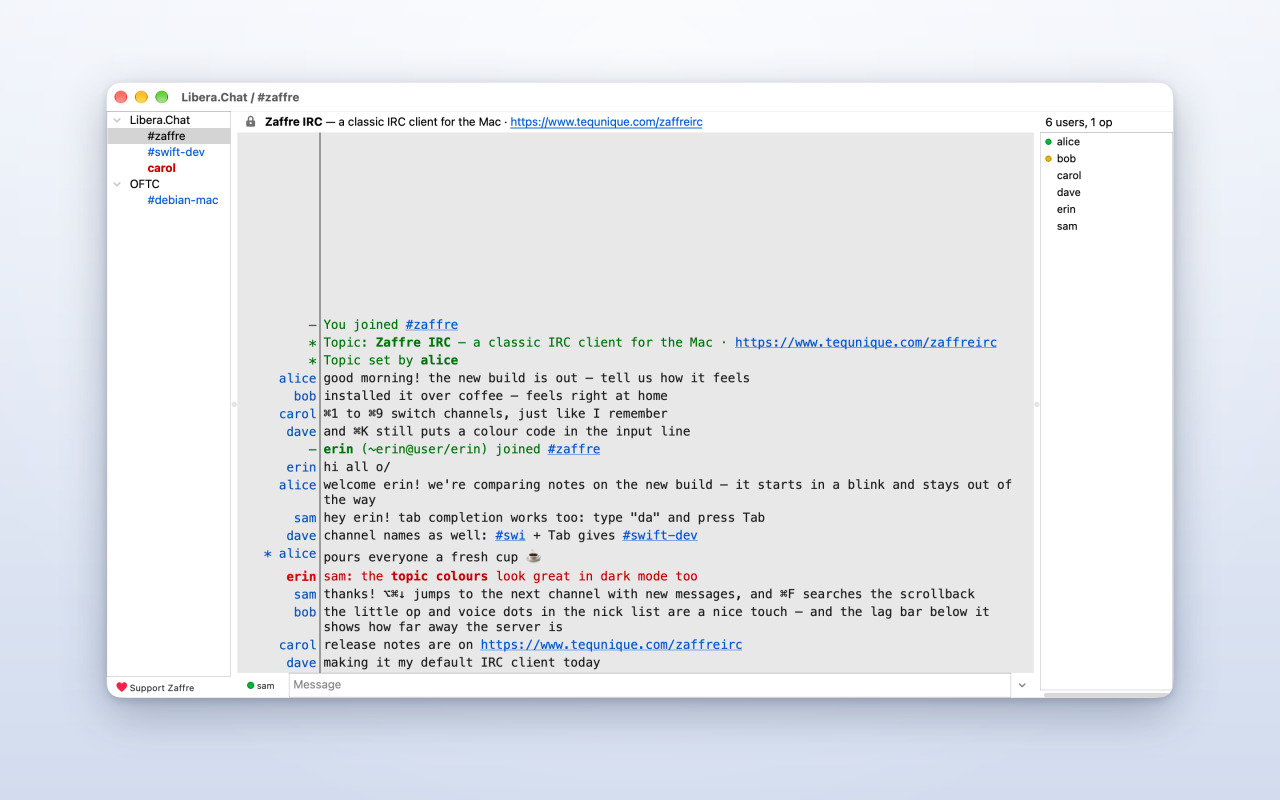
Zaffre IRC is a fast, native IRC client for the Mac and Windows with the classic look IRC users know: your networks and channels on the left, the conversation in the middle, the people in the channel on the right, and the topic on top.
If you used XChat Azure or HexChat, which are no longer developed, you will feel at home right away. Zaffre IRC keeps the layout, the keyboard shortcuts and the slash commands you are used to, and brings them to a modern, sandboxed Mac app.


Features
Chat the way you like
- Monospaced chat with IRC colours and formatting, readable in light and dark mode
- Tab completion for nicks, channels and commands, and an input history per channel
- Highlights for your nick and the words you choose, with sounds and notifications
- Join channels with ⌘T, switch with ⌘1 – ⌘9, search the conversation with ⌘F
- Channel list, ban and ignore lists, URL grabber and a raw log for the curious
Secure by default
- Encrypted connections (TLS) out of the box; the padlock shows you at a glance
- Log in with SASL or a client certificate (CertFP), with passwords kept in your keychain
- A NickServ menu to register your nick and identify with one click
- Works with bouncers, and with proxies (SOCKS5, HTTP, system settings)
Ready to go
- Libera.Chat and OFTC are set up for you; add any other network in seconds
- Open irc:// links from your browser straight into the right channel
- Your open channels come back the next time you start the app
- Receive files people send you, with a clear question before anything is saved
You are in control
- Ignore anyone with one click
- Hide messages with words you don't want to see
- Report abuse to a network's operators
- Private: Zaffre IRC collects no data. There are no accounts with us, no tracking and no ads. Your chats go only to the IRC networks you choose.
Screenshots
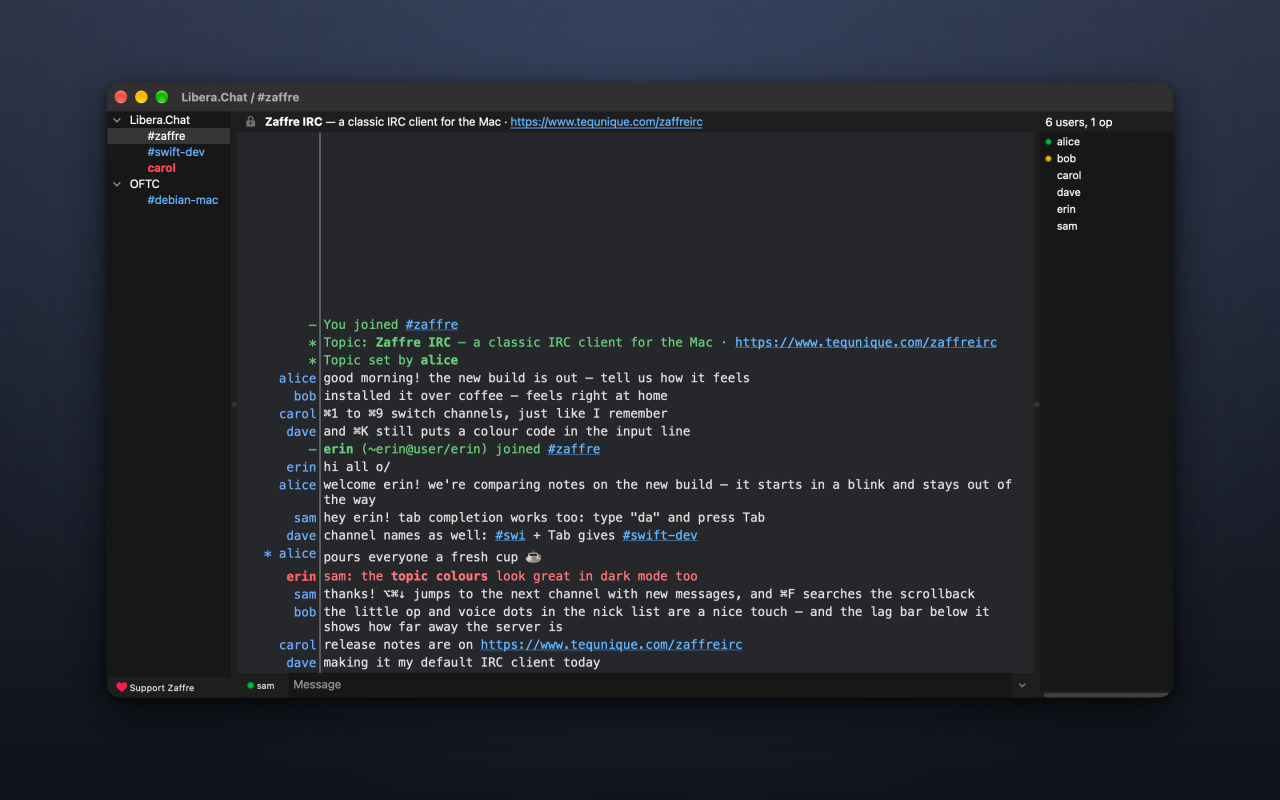
Dark mode
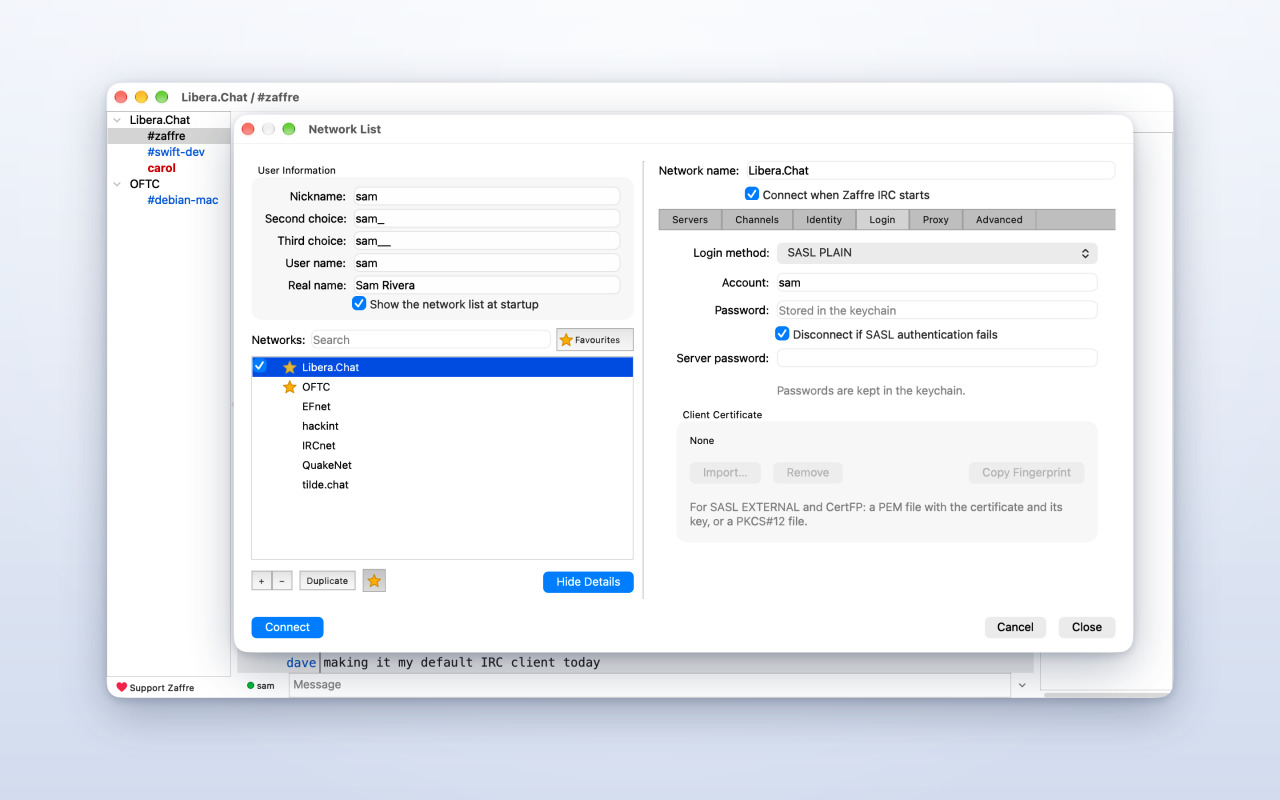
Network List with SASL and CertFP
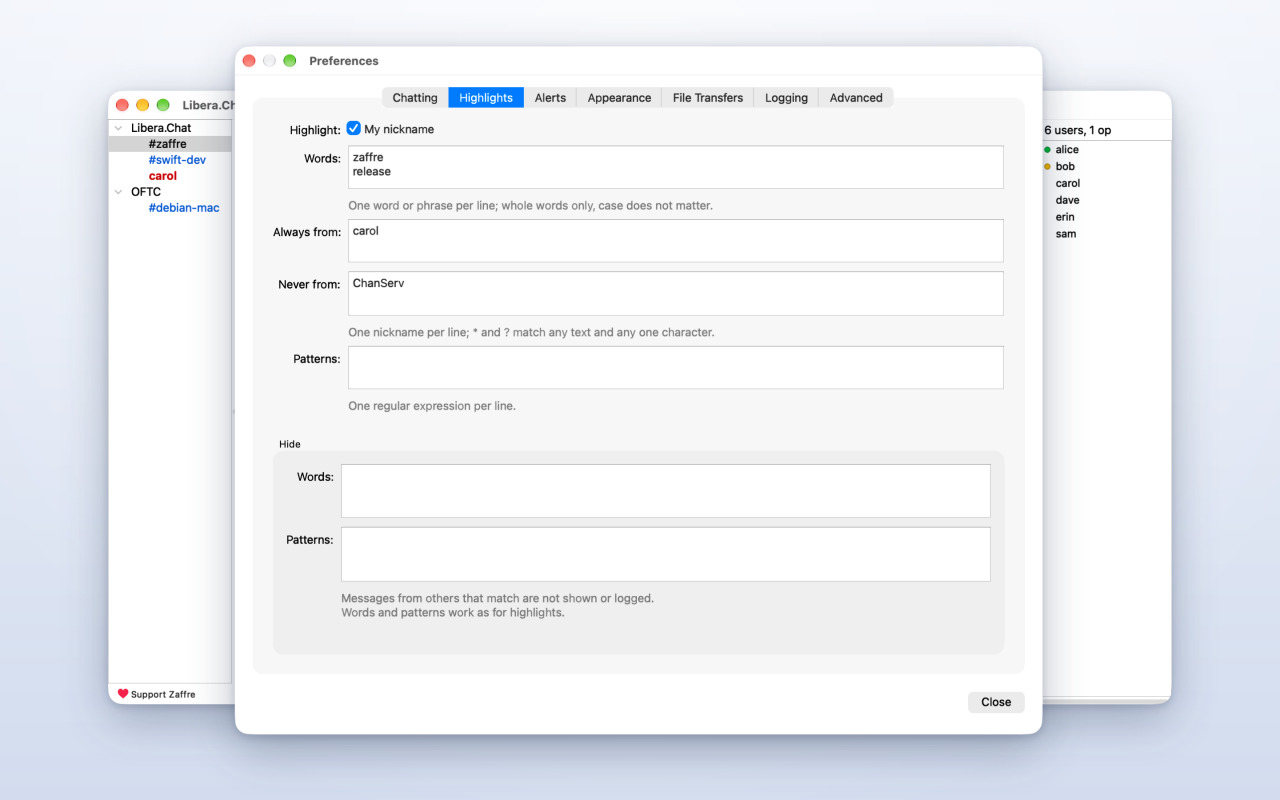
Highlights and preferences
Getting started
- Install Zaffre IRC from the Mac App Store or the Microsoft Store and start it.
- In the Network List, choose a network such as Libera.Chat and click Connect. No account is needed.
- Press ⌘T, enter a channel name such as
#libera, and press Return.
To keep your nick, open the NickServ menu to register it, then turn on SASL login for the network in the Network List. Your password is stored in the macOS keychain.
Free, with optional tips
Zaffre IRC is free. If you enjoy it, you can leave an optional one-time tip in the app (Bronze, Silver or Gold): choose Support Zaffre… from the Zaffre IRC menu or the Help menu. Tips unlock nothing; they show a small medal as a thank-you.
Get Zaffre IRC
Free on the Mac App Store for macOS 14.4 or later, and on the Microsoft Store for Windows.
Privacy policy and terms
Zaffre IRC collects no data. It connects only to the IRC networks you choose, which are run by other people and have their own rules. Please see our terms and privacy policy for details.